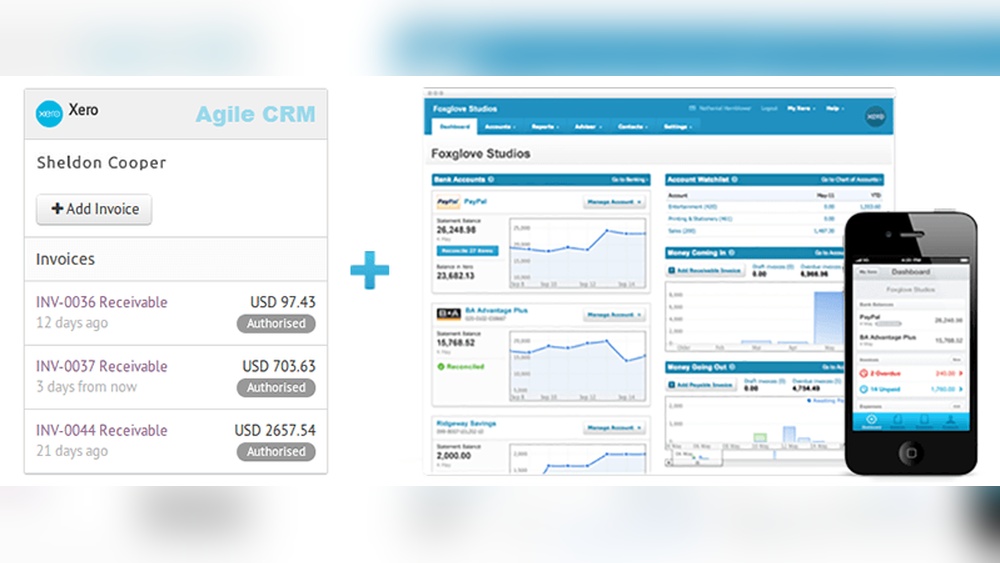

Are you tired of juggling multiple systems to manage your customer relationships and finances? Imagine having a CRM software that works seamlessly with Xero, so you can save time, avoid mistakes, and focus on growing your business.
Finding the right CRM that integrates smoothly with Xero can transform how you handle sales, invoices, and customer data—all in one place. You’ll discover the best options and how they can make your daily tasks easier and more efficient. Keep reading to unlock the full potential of your business tools.
Benefits Of Integrating Crm With Xero
Integrating CRM software with Xero brings clear benefits for businesses. It helps teams work better and saves time. Connecting these tools means data flows smoothly between sales and accounting. This link reduces errors and speeds up tasks. Business owners get a fuller view of customers and finances. The integration supports smarter decisions and stronger customer relationships.
Streamlined Data Management
Data moves automatically between CRM and Xero. No more manual entry or duplicate records. Updates in one system appear in the other fast. This reduces mistakes and keeps information accurate. Teams save hours by avoiding double work. Clean data helps everyone trust the numbers they see.
Improved Sales And Accounting Alignment
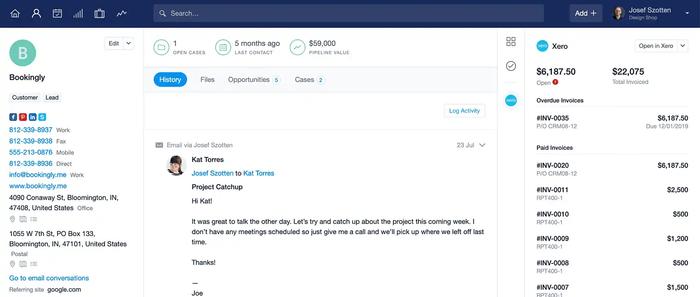
Sales and finance teams share the same customer details. They can track invoices, payments, and orders easily. This clear view improves communication and teamwork. Sales reps know payment status before contacting clients. Accountants see sales trends and customer habits. Everyone stays on the same page.
Enhanced Customer Insights
The integration combines sales history with financial data. Businesses learn more about customer buying patterns. This insight helps tailor offers and improve service. Teams spot loyal customers and high-value accounts quickly. Better knowledge leads to smarter marketing and stronger loyalty.
Credit: www.agilecrm.com
Key Features To Look For
Choosing the right CRM software that works with Xero can save time and reduce errors. The best tools connect sales and finance teams smoothly. These features help keep your business organized and your financial data accurate. Here are key features to check for in a CRM integrated with Xero.
Automatic Invoice Syncing
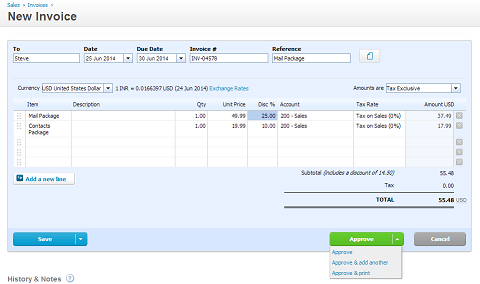
This feature sends invoices from your CRM directly to Xero. It removes the need to enter data twice. Your invoices stay up to date in both systems. It helps avoid mistakes and delays in billing. Your finance team sees new invoices as soon as they are created.
Real-time Financial Updates
Real-time updates keep financial information current across both platforms. You see payments, expenses, and account balances instantly. This feature supports quick decisions based on accurate data. No more waiting for end-of-day reports. It helps track cash flow and manage budgets better.
Contact And Lead Management
Manage all customer details in one place. The CRM should sync contacts with Xero for complete records. Track leads, sales stages, and customer history easily. It improves communication and follow-ups. This leads to better customer service and stronger relationships.
Top Crm Software Options Compatible With Xero
Choosing the right CRM software that works well with Xero can improve your business operations. These tools help manage customer data and keep your accounting in sync. Integration with Xero means less manual work and fewer errors.
Here are some popular CRM options that connect smoothly with Xero. Each offers unique features to fit different business needs.
Hubspot Crm
HubSpot CRM is easy to use and free for basic features. It tracks customer interactions and sales pipelines. The Xero integration syncs invoices and payment details automatically. This saves time and keeps data accurate.
Zoho Crm
Zoho CRM offers strong automation and customization options. It connects with Xero to streamline billing and customer records. Small and medium businesses benefit from its flexible tools. The integration helps keep sales and finance teams aligned.
Salesforce
Salesforce is a powerful CRM with extensive features for large businesses. It supports deep integration with Xero through third-party apps. This allows for real-time syncing of financial data and customer information. It helps improve forecasting and reporting.
Agile Crm
Agile CRM combines sales, marketing, and service tools in one platform. The Xero integration manages invoices and customer payments easily. It suits growing businesses needing a simple yet effective CRM. Agile CRM helps keep your customer and financial data connected.
Credit: capsulecrm.com
Steps To Integrate Crm With Xero
Integrating your CRM software with Xero improves business workflows. It helps keep customer and financial data in one place. This saves time and reduces errors. Follow clear steps for smooth integration. This guide explains how to connect accounts, set up sync options, and test the integration.
Connecting Accounts
Start by linking your CRM account to Xero. Use the integration feature in your CRM settings. Enter your Xero login details to authorize the connection. Allow the necessary permissions for data sharing. This step creates a secure link between both platforms.
Configuring Sync Settings
Choose what data to sync between CRM and Xero. Select contacts, invoices, payments, or other records. Set how often the sync happens, such as daily or weekly. Adjust preferences for data updates and conflict handling. Proper settings keep your information accurate and up to date.
Testing And Troubleshooting
Run a test sync to check if data transfers correctly. Verify that contacts and invoices appear in both systems. Fix any errors by reviewing permissions and sync rules. Use support resources if problems continue. Testing ensures your integration runs smoothly and reliably.
Common Challenges And Solutions
Integrating CRM software with Xero can streamline business processes. This connection improves data flow and enhances customer management. Despite the benefits, users face some common challenges. Understanding these issues helps find the right solutions quickly. Let’s explore typical problems and how to fix them.
Data Duplication Issues
Data duplication happens when the same information appears multiple times. This creates confusion and errors in records. Duplicate entries waste time and reduce data accuracy. To prevent this, use CRM tools with built-in duplicate detection. Set clear rules for matching customer details. Regularly clean your data to remove repeated entries.
Sync Delays
Sync delays occur when information takes too long to update. This lag can disrupt workflows and cause outdated data. To minimize delays, check your internet connection and server status. Choose CRM software with fast, reliable syncing features. Schedule syncing during off-peak hours to avoid slowdowns.
User Access And Permissions
Controlling user access is crucial for data security. Giving too many permissions risks unauthorized changes. Too few permissions limit productivity. Define roles clearly in your CRM and Xero settings. Assign only necessary access rights to each user. Review permissions regularly to keep your data safe.
Tips To Maximize Efficiency Post-integration
After integrating your CRM software with Xero, focus on maximizing efficiency. Proper steps ensure smooth workflows and accurate data flow. Following simple tips helps your team work smarter and faster. This section highlights key actions to keep your system effective and your team productive.
Regular Data Audits
Check your data often to maintain accuracy. Look for duplicates, errors, or missing information. Clean data improves decision-making and reduces mistakes. Schedule audits weekly or monthly based on your transaction volume. Use automated tools if available to save time and effort.
Training Your Team
Ensure every team member knows how to use the integrated system. Provide clear instructions and hands-on practice sessions. Focus on common tasks and troubleshooting. Regular training updates keep skills sharp and reduce errors. Encourage questions to boost confidence and efficiency.
Customizing Workflows
Adapt workflows to fit your business needs. Tailor the CRM and Xero settings for better task flow. Automate repetitive actions like invoicing and follow-ups. Simplified workflows save time and reduce manual work. Review and adjust workflows periodically to stay aligned with goals.
Credit: www.method.me
Frequently Asked Questions
What Is The Best Crm Software That Integrates With Xero?
The best CRM software for Xero integration offers seamless data syncing. Popular options include HubSpot, Zoho CRM, and Insightly. These tools help manage customer relationships and automate accounting tasks efficiently.
How Does Crm Integration With Xero Improve Business Operations?
Integrating CRM with Xero streamlines financial and customer data. It reduces manual entry, improves accuracy, and speeds up invoicing. This integration enhances decision-making and boosts overall productivity.
Can Small Businesses Benefit From Crm And Xero Integration?
Yes, small businesses benefit greatly from CRM and Xero integration. It simplifies sales tracking, invoicing, and financial reporting. This helps small teams save time and improve cash flow management.
Is Crm Software With Xero Integration Easy To Set Up?
Most CRM software with Xero integration offers easy setup. They provide step-by-step guides and customer support. Integration usually requires API connection, which is simple for non-technical users.
Conclusion
Choosing the right CRM software that works with Xero saves time and effort. It helps keep your customer and financial data in one place. You can track sales, invoices, and payments easily. This makes managing your business smoother and faster.
Take your time to find a tool that fits your needs well. The right integration boosts productivity and reduces errors. It helps you focus on growing your business. Simple, clear, and connected systems make work less stressful.
