
Choosing the right accounting software can make or break your business. You want something reliable, easy to use, and packed with features that truly help you manage your finances without headaches.
That’s why comparing Zoho and Xero matters. Both are popular options, but which one fits your needs better? You’ll discover the key differences, pros, and cons of Zoho vs Xero — so you can make a smart choice that saves you time and money.
Keep reading, because the right software could change how smoothly your business runs.
Feature Comparison
Comparing features helps you find the best fit for your business needs. Zoho and Xero both offer strong tools for accounting and finance. Each has its strengths and suits different types of users.
Reviewing key features like invoicing, expense tracking, and payroll shows how these platforms differ. This guide breaks down the main features clearly.
Invoicing And Billing
Zoho provides customizable invoice templates with automatic reminders. It supports multiple currencies and online payments. Xero also offers easy invoice creation and tracking. It includes options for recurring invoices and payment confirmations. Both tools simplify billing but differ slightly in design and payment gateways.
Expense Tracking
Zoho allows users to capture receipts via mobile app and categorize expenses quickly. It integrates expenses directly into reports. Xero offers bank feed integration for automatic expense import. It also supports manual entry and expense claims. Expense tracking is smooth in both, with minor differences in automation.
Inventory Management
Zoho includes basic inventory controls for small businesses. Users can track stock levels and set reorder points. Xero’s inventory features are more limited but can integrate with third-party apps. Zoho is better for those needing built-in inventory management.
Payroll Integration
Zoho provides payroll as a built-in feature in certain plans. It handles tax calculations and employee payments. Xero offers payroll in select countries with local compliance support. Both connect payroll data to accounting records, easing wage management.
Reporting And Analytics
Zoho delivers customizable reports and dashboards with visual charts. It helps track cash flow and profitability. Xero offers detailed financial reports and real-time insights. Both platforms support exporting data for further analysis. Reporting tools are robust and user-friendly in both.
User Interface And Ease Of Use
User interface and ease of use are key factors in choosing accounting software. Both Zoho and Xero focus on making tasks simple for users. Clear design and smooth navigation help users complete work faster. Customization options allow users to tailor the software to their needs. Below is a closer look at these features.
Dashboard Design
Zoho offers a clean and organized dashboard. It shows key financial data upfront. Users see invoices, expenses, and reports on one screen. The layout uses simple charts and lists. Xero has a minimalist dashboard. It highlights recent transactions and bank account balances. The design is less busy but still informative. Both platforms use colors to differentiate data sections.
Navigation
Zoho’s menu is straightforward. Categories like sales, purchases, and reports are easy to find. The menu stays visible, so users switch sections quickly. Xero has a top menu bar with dropdowns. It keeps the screen less cluttered. Users can move between areas with a few clicks. Both programs avoid deep menu layers. This reduces confusion for beginners.
Customization Options
Zoho allows users to adjust dashboard widgets. Users can add or remove elements to match their priorities. Reports can be filtered and saved for future use. Xero lets users customize report templates. Some dashboard elements can be rearranged. Both software provide options to set user roles and permissions. This ensures only relevant information is shown to each user.
Pricing And Plans
Choosing the right accounting software depends a lot on pricing and plans. Both Zoho and Xero offer different subscription options to fit various business needs. Understanding their pricing helps pick the best fit for your budget and requirements.
Subscription Tiers
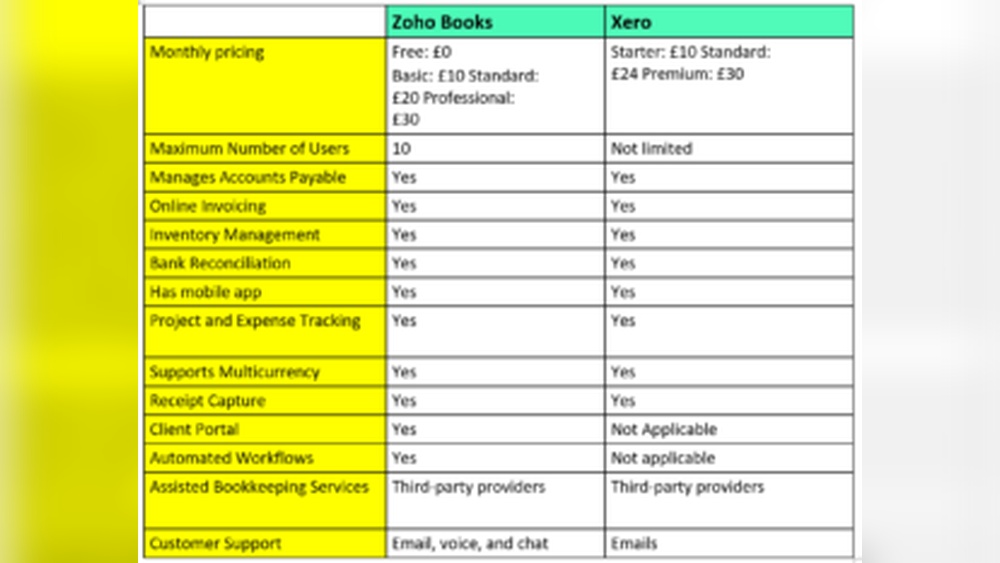
Zoho provides multiple subscription tiers, starting with a basic plan for small businesses. Its higher tiers include more features like inventory management and multi-currency support. Xero also offers tiered plans. Each plan varies by the number of invoices, bills, and users allowed. This allows businesses to select a plan that matches their size and needs.
Free Trial Availability
Zoho offers a free trial lasting 14 days. This trial lets users explore most features without paying. Xero provides a 30-day free trial. It gives full access to all tools, helping users test the software thoroughly. Both trials require no credit card to sign up, making it easy to try before buying.
Value For Money
Zoho’s pricing is generally lower, making it suitable for startups and small businesses. It includes many features even in the basic plan. Xero is priced higher but offers strong accounting features and integrations. It fits growing businesses needing advanced tools. Both platforms provide solid value depending on business size and feature needs.
Credit: fitsmallbusiness.com
Integration And Compatibility
Integration and compatibility are key for smooth accounting and business management. Both Zoho and Xero connect with other tools and systems. This helps users keep data synced and workflows efficient. Understanding their integration options can guide your choice.
Third-party Apps
Zoho supports many third-party apps across various categories. It links with CRM, inventory, and project management tools. Xero also offers a wide app marketplace with hundreds of options. Both platforms allow easy app connections to extend functionality. Zoho’s apps tend to focus more on small business needs. Xero appeals to a broad range of industries with diverse app choices.
Bank Feeds
Both Zoho and Xero provide automatic bank feeds. They pull transaction data directly from your bank accounts. This saves time and reduces errors in manual entry. Zoho covers many global banks but may have fewer options than Xero. Xero supports thousands of banks worldwide. It offers faster updates and smoother reconciliation features.
Mobile App Experience
Zoho’s mobile app is simple and user-friendly. It allows invoice creation, expense tracking, and bank feed review. Xero’s mobile app offers similar features but with a more polished interface. Both apps work on iOS and Android devices. Xero’s app tends to have faster updates and better offline access. Zoho keeps the app light and easy to navigate.
Customer Support
Customer support plays a vital role in choosing accounting software. It ensures users get help quickly and solve issues without delays. Both Zoho and Xero provide various support options. The quality and speed of support can affect your daily operations and satisfaction with the software.
Support Channels
Zoho offers email, phone, and live chat support. Users can also access a detailed knowledge base. Xero provides phone and email support along with a rich online help center. Both platforms include video tutorials and FAQs. Zoho’s support is available 24/5, while Xero covers 24/7 for some plans.
Response Time
Zoho usually responds within a few hours on email and chat. Phone support tends to be quicker. Xero aims for fast replies but can take longer during peak times. Both companies try to resolve issues promptly. Quick responses reduce downtime and keep your work smooth.
User Community
Zoho has an active user community with forums and user groups. This helps users share tips and solve problems together. Xero also has a large global community. Its forums and social media groups provide valuable peer support. These communities add extra help beyond official support channels.
Credit: fastlane-global.com
Security And Compliance
Security and compliance are key factors when choosing accounting software. Businesses handle sensitive data that must stay safe. Zoho and Xero offer strong protections to keep your information secure. Understanding their approaches helps in making the right choice for your needs.
Data Protection Measures
Zoho uses encryption to protect data during transfer and storage. It limits access with strict user controls and authentication. Xero also encrypts data using advanced technology. It requires multi-factor authentication for added safety. Both platforms monitor their networks to detect unusual activity early.
Compliance Standards
Zoho complies with GDPR, ensuring user privacy in Europe. It follows global standards like SOC 2 for security. Xero meets GDPR and is certified for ISO 27001. It also follows PCI-DSS rules for payment security. These certifications show their commitment to protecting your data.
Backup And Recovery
Zoho offers regular data backups with secure storage locations. It can restore lost data quickly if needed. Xero stores backups in multiple data centers to avoid data loss. It provides simple recovery options for business continuity. Both help reduce risks from accidental loss or attacks.
Suitability For Different Business Types
Choosing the right accounting software depends on the type of business you run. Different businesses have different needs. Zoho and Xero serve various business types in distinct ways. Understanding their suitability helps in making a smart choice.
Freelancers And Solopreneurs
Zoho offers simple tools for freelancers and solopreneurs. It handles invoicing, expense tracking, and basic accounting. The interface is easy to use and learn quickly. Xero also supports freelancers with clean dashboards and mobile apps. It helps manage bills, payments, and bank reconciliation smoothly. Both provide affordable plans for solo users.
Small To Medium Businesses
Small and medium businesses need more features. Zoho includes project management, inventory, and CRM integration. This helps manage various business operations in one place. Xero focuses on strong accounting features and third-party app integrations. It suits businesses needing detailed financial reports and payroll. Both platforms scale well as businesses grow.
Industry-specific Needs
Different industries require special tools. Zoho adapts to service businesses, retail, and consulting firms. It offers customizable modules and workflows. Xero supports industries like construction, hospitality, and nonprofits with tailored templates. Both provide add-ons to meet unique requirements. Choosing depends on the specific industry demands and software flexibility.

Credit: boostedcrm.com
Pros And Cons
Choosing the right accounting software needs careful thought. Both Zoho and Xero offer strong features, but they suit different needs. Knowing their pros and cons helps make a better choice.
Advantages Of Zoho
Zoho has a user-friendly design that beginners like. It integrates well with other Zoho apps and many third-party tools. The pricing is flexible, good for small businesses. Zoho supports multiple currencies and languages. It offers strong automation to save time on tasks. The mobile app is easy to use and covers most features.
Advantages Of Xero
Xero is known for its clean interface and smooth user experience. It connects with over 800 business apps, broadening its use. Xero’s bank feeds update automatically, helping keep records current. It supports multi-currency accounting, useful for global businesses. The software offers strong reporting tools for financial analysis. Xero’s mobile app is robust and reliable.
Potential Drawbacks
Zoho can feel complex due to many options, confusing some users. Its reporting features are less detailed than Xero’s. Customer support can be slow at times. Xero’s pricing is higher, which may not suit all budgets. Some advanced features require extra fees in Xero. Both platforms may need training for users new to accounting software.
Frequently Asked Questions
What Are The Main Differences Between Zoho And Xero?
Zoho offers a broader business suite beyond accounting. Xero specializes in small business accounting with strong bank integration. Zoho suits businesses needing all-in-one solutions, while Xero excels in simple, user-friendly accounting features.
Which Software Is Better For Small Business Accounting?
Xero is preferred for small businesses due to its ease of use and robust accounting tools. Zoho is ideal if you want integrated CRM and project management alongside accounting.
How Do Zoho And Xero Pricing Plans Compare?
Zoho provides affordable plans with multiple business apps included. Xero’s pricing is slightly higher but focuses on accounting features. Both offer scalable plans depending on business size and needs.
Can Zoho And Xero Integrate With Other Apps?
Yes, both Zoho and Xero support integrations. Zoho integrates well within its ecosystem and third-party apps. Xero offers extensive third-party app connections, especially for payroll and payments.
Conclusion
Choosing between Zoho and Xero depends on your business needs. Zoho offers a wide range of tools for growing companies. Xero focuses on simple, clear accounting features. Both platforms help manage finances well. Consider your budget, features, and ease of use.
Think about the kind of support you want. Each software fits different types of businesses. Take time to test both before deciding. The right choice makes managing money easier. Your business will benefit from using the best fit.
