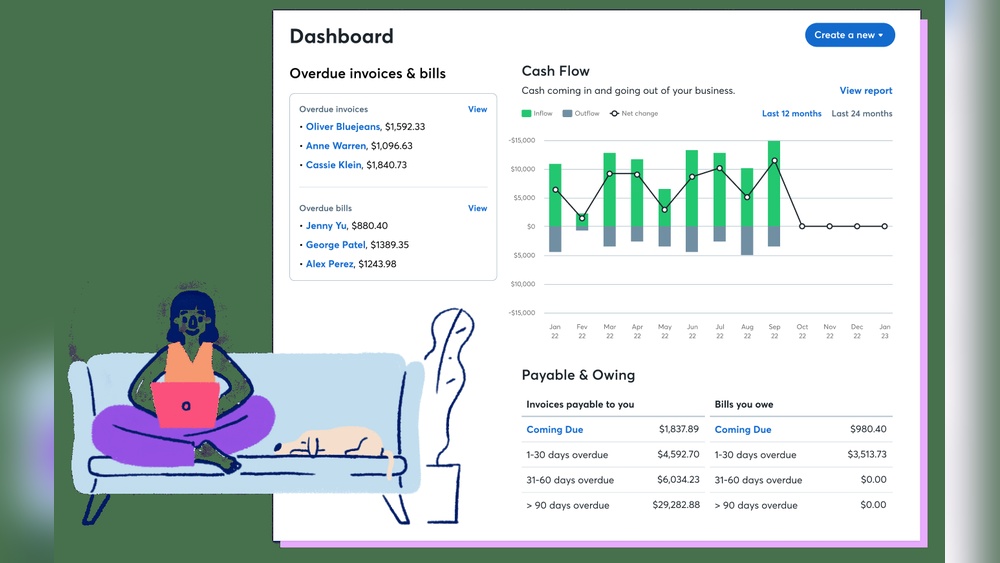

Running a nonprofit organization means careful money management. You need to track donations, expenses, and budgets clearly. Good accounting helps your nonprofit stay honest and grow. Many nonprofits look for easy and free tools. Wave Accounting is one such tool. It can help you manage your money without extra cost.
What is Wave Accounting?
Wave Accounting is a free online accounting software. It lets you keep track of money coming in and going out. It is simple and made for small businesses and nonprofits. You do not need to pay to use its main features. This makes it good for groups with little money for software.
Wave works in your web browser. You do not need to install anything. You can also use Wave on your phone. This means you can check your accounts anytime, anywhere.
Why Use Wave Accounting for Nonprofits?
Nonprofits have special needs for accounting. They must show donors how money is used. They also need to follow rules about taxes and reports. Wave helps with this in many ways.
- Free to Use: Nonprofits often have small budgets. Wave’s free plan saves money.
- Easy to Learn: The software is simple. You do not need to be an expert.
- Track Donations: Wave lets you record where donations come from.
- Manage Expenses: You can enter bills and receipts easily.
- Generate Reports: Wave creates financial reports for meetings and tax time.
- Multiple Users: More than one person can use the account safely.
Credit: www.softwareadvice.com.au
Key Features of Wave Accounting
Wave offers many tools that help nonprofits keep money organized.
| Feature | Description |
|---|---|
| Income and Expense Tracking | Record all money received and spent easily. |
| Bank Connection | Link your bank account to import transactions automatically. |
| Invoice Creation | Make and send invoices to donors or sponsors. |
| Receipt Scanning | Use your phone to scan and save receipts. |
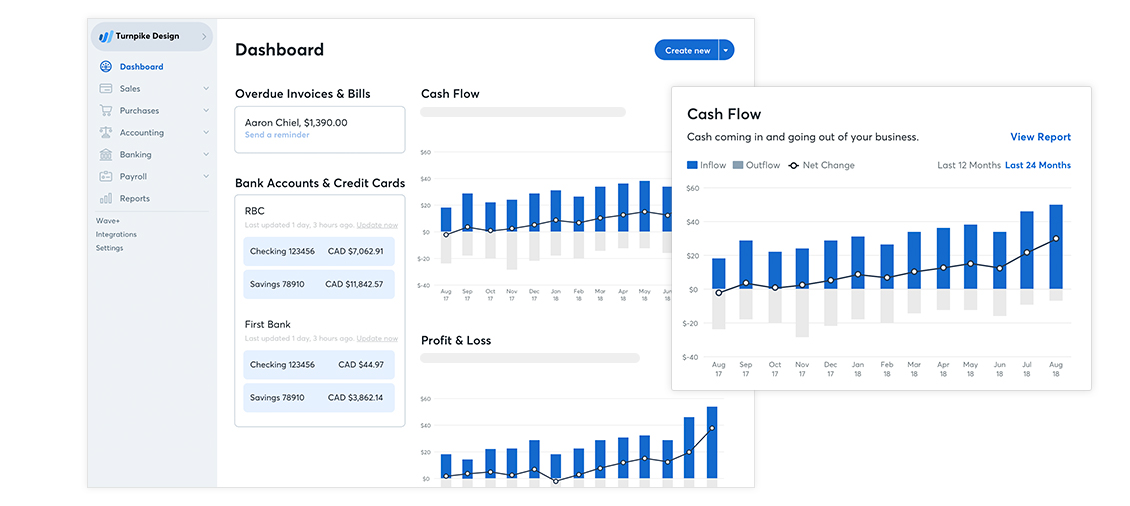
| Financial Reports | Get reports like profit and loss, balance sheets, and cash flow. |
| Multi-User Access | Allow more people to help with accounting. |
How to Use Wave Accounting for Your Nonprofit
Getting started with Wave is simple. Follow these steps to set up your nonprofit account.
- Create an Account: Go to Wave’s website and sign up using your email.
- Set Up Your Organization: Choose nonprofit as your business type.
- Connect Bank Accounts: Link your nonprofit’s bank for easy transaction imports.
- Enter Donations: Record each donation with details like donor name and amount.
- Record Expenses: Add bills and payments to keep track of spending.
- Create Reports: Use Wave’s tools to make reports for your board and donors.
Tips for Nonprofits Using Wave Accounting
To get the best from Wave, try these tips:
- Keep Records Updated: Enter transactions soon after they happen.
- Use Categories: Sort income and expenses into categories like programs or admin.
- Regular Reviews: Check reports monthly to catch mistakes early.
- Separate Accounts: Use different bank accounts for different projects if possible.
- Train Your Team: Teach others how to use Wave to help manage finances.

Credit: www.youtube.com
Limitations to Keep in Mind
Wave is good for many nonprofits but has some limits.
- Wave does not have special nonprofit fund accounting.
- It lacks built-in tools for grant tracking.
- Some advanced features cost extra money.
- Customer support is limited for free users.
Still, many nonprofits find Wave enough for basic needs.
Comparing Wave with Other Accounting Software
There are many accounting tools for nonprofits. Here is a simple look at how Wave compares.
| Software | Cost | Ease of Use | Nonprofit Features | Support |
|---|---|---|---|---|
| Wave | Free (some paid add-ons) | Very Easy | Basic | Limited for free users |
| QuickBooks Online | Paid (monthly fees) | Moderate | Good nonprofit tools | Good support |
| FreshBooks | Paid | Easy | Limited nonprofit features | Good support |
| Aplos | Paid | Moderate | Designed for nonprofits | Good support |
Who Should Use Wave Accounting?
Wave is a good choice if your nonprofit:
- Is small or just starting out.
- Needs a low-cost or free tool.
- Wants simple tracking of donations and expenses.
- Prefers easy-to-use software with basic reports.
If your nonprofit is large or needs detailed fund accounting, consider other options.
Final Thoughts
Wave Accounting can help nonprofits manage money well. It offers free tools for tracking income and expenses. The software is easy to use for people who are not experts. It helps nonprofits show transparency to donors and boards. While it has some limits, Wave fits many small nonprofits’ needs. If you want simple, no-cost accounting, Wave is worth trying.
Good money management helps your nonprofit grow and do more good work. Wave Accounting can be part of that success.
Frequently Asked Questions
What Is Wave Accounting For Nonprofits?
Wave Accounting is free software designed to manage nonprofit finances. It helps track income, expenses, and donations easily.
Can Wave Handle Nonprofit Donation Tracking?
Yes, Wave allows nonprofits to record and monitor donations. This helps keep financial records accurate and organized.
Is Wave Accounting Easy To Use For Nonprofits?
Wave has a simple, user-friendly interface. Nonprofits can manage finances without needing expert skills.
Does Wave Support Nonprofit Financial Reporting?
Wave offers basic financial reports like profit and loss statements. These reports help nonprofits understand their financial health.
