
Are you wondering if QuickBooks has a built-in CRM to help manage your customer relationships? You’re not alone.
Many small business owners like you want to keep their finances and customer info in one place. But does QuickBooks really offer the tools you need to track leads, follow up with clients, and grow your business? Keep reading to find out how QuickBooks handles CRM features and what options you have to make your customer management easier and more effective.
This could change the way you run your business.

Credit: www.power-crm.net
Quickbooks And Crm Capabilities
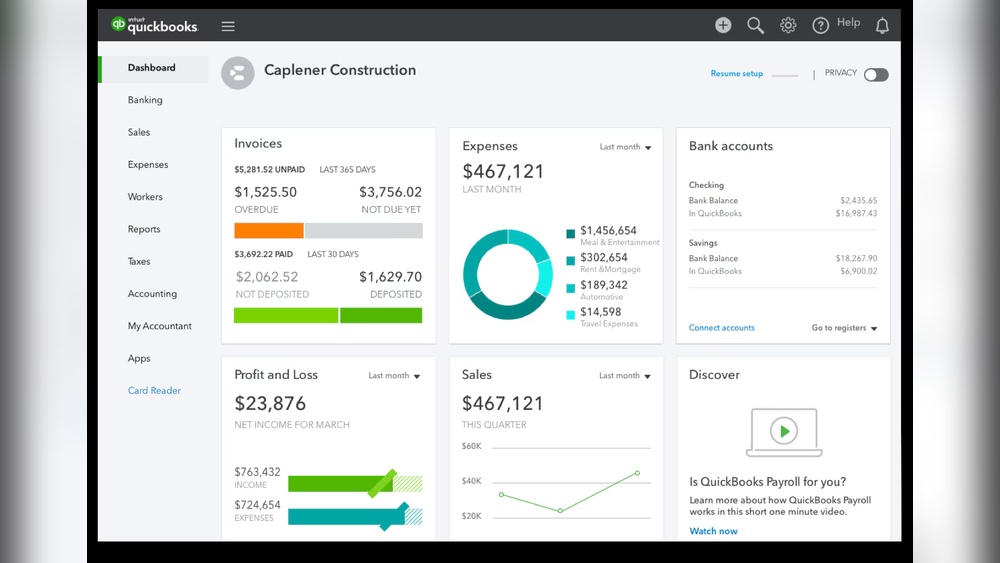
QuickBooks offers some built-in CRM features to manage customer info. You can track contacts, sales, and customer history inside the software. These tools help keep customer data organized and easy to find. The built-in CRM is simple and works well for small businesses.
For more advanced CRM needs, QuickBooks supports many third-party CRM integrations. Popular options like Salesforce, HubSpot, and Zoho can connect with QuickBooks. These integrations sync customer details and sales data between platforms. This helps businesses get more powerful tools for sales and marketing without leaving QuickBooks.
| Feature | Built-in CRM | Third-Party CRM |
|---|---|---|
| Contact Management | Basic | Advanced |
| Sales Tracking | Yes | Yes |
| Marketing Tools | No | Yes |
| Customization | Limited | Extensive |
Credit: www.onepagecrm.com
Benefits Of Integrating Crm With Quickbooks
Integrating CRM with QuickBooks helps keep all customer info in one place. It saves time by avoiding switching between apps. This streamlined customer management makes work faster and easier.
Sales teams can track deals better. They see sales progress clearly and know what to do next. This enhanced sales tracking helps close more deals and serve customers well.
Financial data from QuickBooks combines with customer info. It gives better insights about money and customer habits. Businesses can make smarter choices and plan for growth. This is called improved financial insights.
Popular Crm Tools Compatible With Quickbooks
HubSpot CRM connects easily with QuickBooks. It helps track customer interactions, sales, and invoices all in one place. Users like its simple design and free plan for small businesses.
Salesforce offers deep integration with QuickBooks. It manages customer data, sales, and financial records smoothly. Big companies use Salesforce to keep their customer info and accounting linked.
Zoho CRM works well with QuickBooks to sync sales and billing data. It provides tools for managing leads, contacts, and invoices. Zoho is a cost-friendly option for growing businesses.
How To Connect Crm With Quickbooks
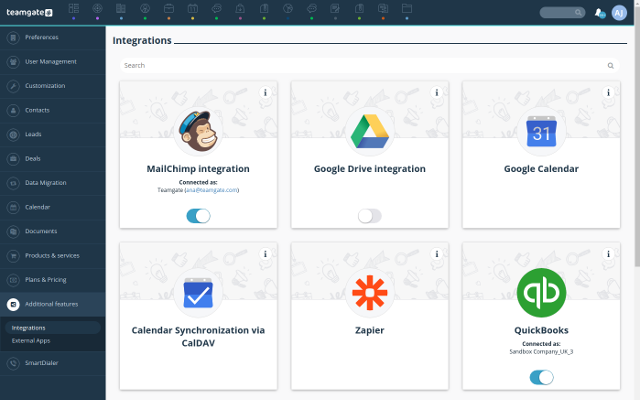
QuickBooks offers built-in integration with some CRM systems. This lets users sync customer data directly. It helps keep sales and accounting info up to date. Users can connect contacts, invoices, and payments easily.
Many CRMs work with QuickBooks through third-party connectors. These tools link the two systems for better data flow. They support syncing contacts, deals, and invoices. Some popular connectors include Zapier and Automate.io.
| Method | Features | Benefits |
|---|---|---|
| Built-in Integration | Direct sync with select CRMs | Simple setup, real-time updates |
| Third-Party Connectors | Works with many CRM platforms | Flexible, supports multiple apps |
Key Features To Look For In A Crm For Quickbooks
Automation capabilities help save time by handling routine tasks. This means fewer errors and faster work. A good CRM should connect smoothly with QuickBooks to update customer data automatically. It should also send alerts for important dates or unpaid bills.
Customizable reporting lets users create reports that matter most to their business. You can choose what data to see and how to see it. This helps track sales, customer activity, and financial health clearly and quickly.
User-friendly interface means the CRM is easy to learn and use. Simple menus and clear buttons reduce confusion. This makes it easier for anyone, even beginners, to manage customer information alongside QuickBooks.
Case Studies: Business Growth With Quickbooks And Crm
Small businesses have grown by using QuickBooks with CRM tools. Combining these helps track customers, sales, and finances easily. Many owners saved time by managing contacts and invoices in one place.
One company improved customer service by using CRM with QuickBooks. They organized client info and sent faster replies. This led to better customer satisfaction and repeat sales.
Another business scaled operations smoothly. They used CRM to follow leads and QuickBooks to handle payments. This cut errors and helped the team focus on growth.
| Business Type | CRM Benefit | QuickBooks Benefit | Result |
|---|---|---|---|
| Retail Shop | Organized customer data | Easy invoice management | Faster sales process |
| Service Provider | Tracked leads and follow-ups | Simple payment tracking | Reduced errors and delays |
| Online Store | Automated marketing emails | Linked sales with accounts | Improved customer retention |
Tips For Maximizing Crm Benefits In Quickbooks
Regular data synchronization keeps customer details accurate and up to date. Sync your CRM and QuickBooks data often. This helps avoid errors and saves time. It also ensures all team members see the same information.
Training your team is key. Teach them how to use CRM tools inside QuickBooks well. Simple guides and practice sessions work best. A confident team uses the system better and faster.
Monitoring performance metrics helps spot trends and problems early. Track sales, customer responses, and support requests regularly. Use easy charts or reports within QuickBooks to see how your team performs. This helps improve service and grow your business.
Credit: quickbooks.intuit.com
Frequently Asked Questions
Does Quickbooks Include Built-in Crm Features?
QuickBooks does not have a built-in CRM system. It focuses mainly on accounting and financial management. However, it integrates with many popular CRM tools to help manage customer relationships effectively.
Can Quickbooks Integrate With External Crm Software?
Yes, QuickBooks supports integration with various CRM platforms. This helps businesses synchronize customer data and streamline sales and financial workflows. Popular CRM integrations include Salesforce, HubSpot, and Zoho CRM.
What Benefits Does Crm Integration Bring To Quickbooks Users?
Integrating CRM with QuickBooks improves customer data management and enhances sales tracking. It helps automate workflows, reduces manual data entry, and provides better insights into customer behavior and finances.
Is Quickbooks Crm Suitable For Small Businesses?
QuickBooks alone lacks CRM functionality but works well with CRM add-ons. Small businesses benefit from using integrated CRM tools to manage customer relationships alongside their accounting tasks.
Conclusion
QuickBooks does not include a built-in CRM system. Many users choose to add third-party CRM tools. These tools help manage customer relationships and sales better. Integrating a CRM with QuickBooks can save time and reduce errors. Choose a CRM that fits your business needs and budget.
This way, you keep your finances and customer data organized. Think about what features matter most to you. Combining QuickBooks with the right CRM can improve your workflow and customer service.
