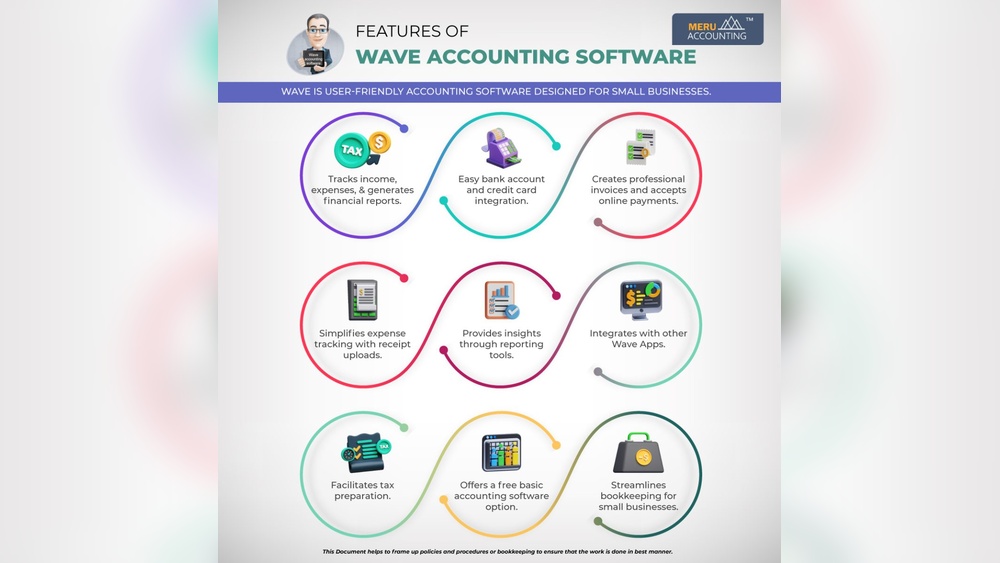

Many small businesses need simple tools to handle money. Wave Accounting is one such tool. It helps business owners keep track of money, bills, and payments. One important feature of Wave is credit card payments. This feature allows businesses to accept payments by credit card easily.
What is Wave Accounting?
Wave Accounting is a free online tool. It helps you manage your business money. You can use it to track sales, expenses, and reports. Wave also lets you create and send invoices. It is easy to use for people who do not know much about accounting.
Why Use Credit Card Payments in Wave?
Many customers like to pay with credit cards. It is fast and safe for them. If your business accepts credit cards, you can get paid quickly. Wave makes it simple to accept credit cards.
- It helps you get paid faster.
- No need to handle cash or checks.
- Easy to record payments in one place.
How Does Wave Credit Card Payment Work?
Wave uses a payment system that works online. When you send an invoice, customers can pay by credit card. They only need to click a link in the invoice. Then, they enter their card details on a secure page.
Once the payment is made, Wave updates your records automatically. You can see which invoices are paid and which are not. This saves time and reduces mistakes.
Steps To Accept Credit Card Payments In Wave
- Create a Wave account or log in to your existing one.
- Go to the Payments section in your dashboard.
- Set up payment processing by linking your bank account.
- Create and send an invoice to your customer.
- The customer pays the invoice using a credit card.
- Wave records the payment and updates your account.
Benefits of Using Wave Credit Card Payments
Here are some reasons why businesses like Wave credit card payments:
| Benefit | Explanation |
|---|---|
| Easy Setup | No need for complex systems. Setup is fast and simple. |
| Secure Payments | Wave uses secure pages to protect card information. |
| Automatic Tracking | Payments update your Wave account automatically. |
| Good for Small Business | Designed for small businesses and freelancers. |
| Multiple Payment Options | Accept credit cards and bank payments easily. |
Fees for Using Wave Credit Card Payments
Wave charges a small fee for credit card payments. This fee covers the cost of payment processing. The fee is a percentage of the payment plus a fixed amount.
It is important to know the fees before using the service. Fees vary by country and card type. You can find the exact fees on Wave’s website. Knowing fees helps you plan your pricing and costs.
How to Manage Credit Card Payments in Wave
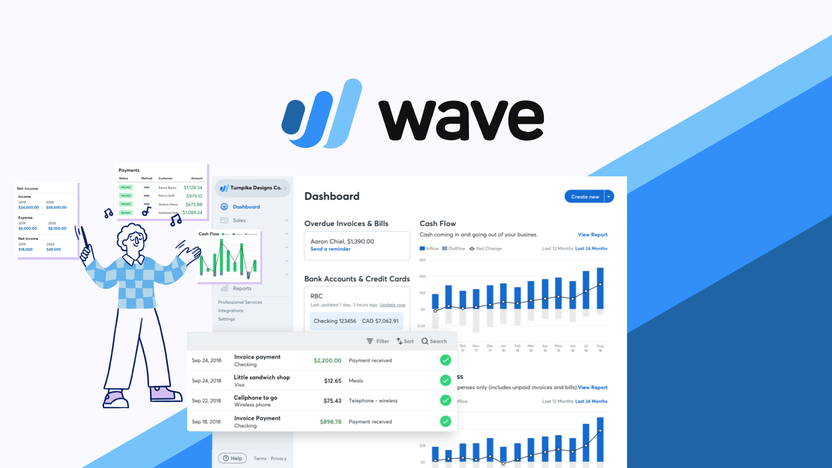
Wave offers tools to manage payments easily. You can see all payments in one place. You can also check which invoices are unpaid or overdue.
Wave sends reminders to customers who have not paid. This helps you get paid on time. You can also refund payments if needed.
Tips For Using Wave Credit Card Payments Well
- Always keep your bank account details updated.
- Send clear and detailed invoices to customers.
- Check your payment reports regularly.
- Use payment reminders for slow-paying customers.
- Keep track of fees to know your true income.
Credit: appsumo.com
Common Questions About Wave Credit Card Payments
Many people ask how fast payments arrive. Usually, payments take 2-3 business days to reach your bank. This depends on your bank’s processing time.
Some wonder if Wave works with all credit cards. Wave accepts major cards like Visa, MasterCard, and American Express.
Others ask if Wave supports other payment methods. Yes, Wave also supports bank payments called ACH in the US.

Credit: www.waveapps.com
Is Wave Credit Card Payment Right for Your Business?
If you want an easy way to accept credit cards, Wave is good. It is best for small businesses and freelancers. Wave saves time by keeping payments and accounting in one place.
If your business needs lots of custom features, Wave may not be enough. But for many small businesses, Wave is simple and clear.
How to Start Using Wave Credit Card Payments Today
Getting started is easy. Follow these steps:
- Go to waveapps.com and sign up.
- Complete your business profile and bank info.
- Activate credit card payments under Payments settings.
- Create your first invoice and send to a customer.
- Watch as payments come in and Wave tracks them.
Frequently Asked Questions
What Credit Cards Does Wave Accounting Accept For Payments?
Wave Accounting accepts most major credit cards, including Visa, MasterCard, and American Express. This makes payments simple and flexible for users.
How Do I Link My Credit Card To Wave Accounting?
Link your credit card by entering card details in the payment settings. This allows easy tracking and processing of payments.
Can I Track Credit Card Payments In Wave Accounting?
Yes, Wave automatically records and tracks all credit card payments. This helps keep your finances organized without extra work.
Is There A Fee For Credit Card Payments In Wave?
Wave charges a small fee per credit card transaction. The fee covers payment processing and varies by card type.
Conclusion
Wave Accounting credit card payments make business easier. You can get paid faster and track money well. The system is safe, easy, and made for small businesses. It helps reduce work and errors.
With simple steps, you can start accepting credit cards today. Keep your business money organized and growing with Wave.
