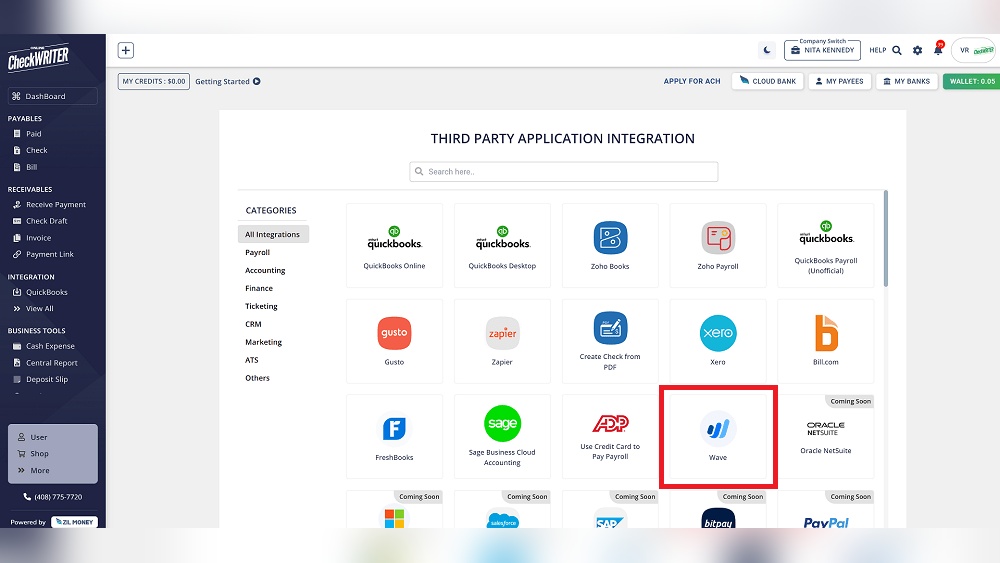

Wave Accounting is a free tool for small businesses. It helps with money tasks. You can track income, expenses, and bills. Many small business owners use it because it is easy and costs nothing.
But, Wave Accounting alone might not do everything you need. That is why it connects with other apps. These connections are called integrations. Integrations make your work faster and easier.
What Are Wave Accounting Integrations?
Integrations mean linking Wave with other software. This helps you share information between apps. You do not have to enter data twice. For example, if you use a payment app, it can send data to Wave. This saves time and reduces mistakes.
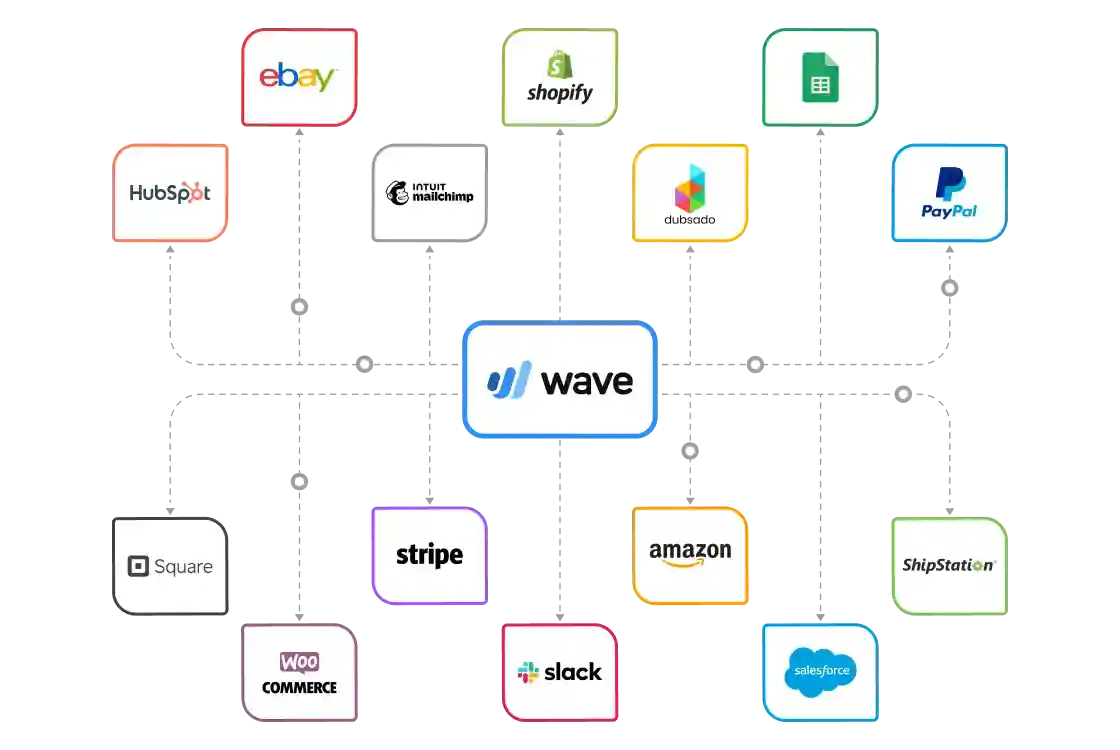
Wave Accounting supports many integrations. These apps help with payments, time tracking, shopping, and more. Let’s look at some popular Wave integrations.
Popular Wave Accounting Integrations
| Integration Name | What It Does | Why Use It |
|---|---|---|
| PayPal | Send and receive money online. | Easier payment tracking in Wave. |
| Stripe | Process credit card payments. | Auto record sales in Wave. |
| Shopify | Online store platform. | Sync sales and orders with Wave. |
| Zapier | Connects many apps together. | Automate tasks between Wave and other apps. |
| Toggl | Track work time. | Manage billing and hours in Wave. |
How Do Integrations Help Your Business?
Integrations save you time. You do not need to add data twice. This reduces errors. For example, when a customer pays with PayPal, Wave can record it automatically.
They also give you better control. You see all your money in one place. No need to check many apps every day.
Integrations can help your business grow. You can handle more customers easily. You spend less time on boring work and more time on your business.
Example: Using Paypal With Wave
Many customers pay with PayPal. When linked to Wave, payments go to your account automatically. Wave will create the right entry for your money. You do not have to write it yourself.
This means less chance to miss a payment. Your reports will be more correct. You can also see which customers paid and which did not.
Example: Using Zapier With Wave
Zapier connects many apps without coding. If you use more than one app, Zapier helps them work together.
For example, if you use Gmail and Wave, Zapier can send new email info to Wave. This makes it easier to track customer requests and payments.
How to Set Up Wave Integrations
Setting up an integration is simple. Follow these steps:
- Log in to your Wave account.
- Go to the “Apps” or “Integrations” section.
- Choose the app you want to connect.
- Follow the instructions to link your accounts.
- Test the connection to make sure it works.
Most integrations use secure ways to connect your data. So, your information is safe.
Things to Remember About Wave Integrations
- Not all apps work perfectly with Wave.
- Check if the integration fits your business needs.
- Some integrations may need a paid plan on the other app.
- Keep your apps updated for best performance.
- Ask for help if you feel stuck.
Benefits of Using Wave with Integrations
Using Wave with other apps gives these benefits:
- Saves Time: Automate data entry and updates.
- Reduces Errors: Fewer manual mistakes.
- Better Business Control: See all money info in one place.
- Improved Customer Service: Faster payment and billing processes.
- Easy Financial Reports: Get accurate reports with less work.
Common Types of Integrations for Wave
Wave works best with these types of apps:
| Integration Type | Example Apps | How It Helps |
|---|---|---|
| Payment Processors | PayPal, Stripe, Square | Record sales and payments automatically. |
| Online Stores | Shopify, WooCommerce | Sync orders and sales with Wave. |
| Time Trackers | Toggl, Harvest | Track hours for billing and payroll. |
| Automation Tools | Zapier, Integromat | Connect many apps and automate work. |
| CRM Software | HubSpot, Zoho | Manage customer info and sales better. |

Credit: www.meruaccounting.com
Credit: satvasolutions.com
How to Choose the Right Integrations
Think about what your business needs most. Do you want easier payments? Or better time tracking?
Check if the integration:
- Works with Wave.
- Is easy to use.
- Fits your budget.
- Has good customer support.
Try one or two integrations first. See how they help your business. Add more if needed later.
Final Thoughts
Wave Accounting integrations can make your business life easier. They help you save time and avoid mistakes. You can keep better track of money and customers.
Start with a few simple integrations. Learn how they work. Then add more to grow your business. Remember, the best tools are the ones that make your work easier.
Wave is a good choice for small business owners who want free and simple accounting. With the right integrations, it becomes even more useful.
Take your time to explore different apps. Find the best fit for your needs. Your business will thank you for it.
Frequently Asked Questions
What Is Wave Accounting Integration?
Wave Accounting integration connects Wave with other apps for smooth data flow. It helps save time by syncing information automatically.
Which Apps Work Best With Wave Accounting?
Popular apps like PayPal, Shopify, and Stripe integrate well with Wave. They help manage sales, payments, and expenses easily.
How Do I Connect Wave To Third-party Apps?
You can link Wave to apps via API or built-in connectors. Most integrations need just a few clicks to set up.
Can Wave Sync Bank Transactions Automatically?
Yes, Wave can link your bank account to import transactions daily. This keeps your records updated without manual entry.
