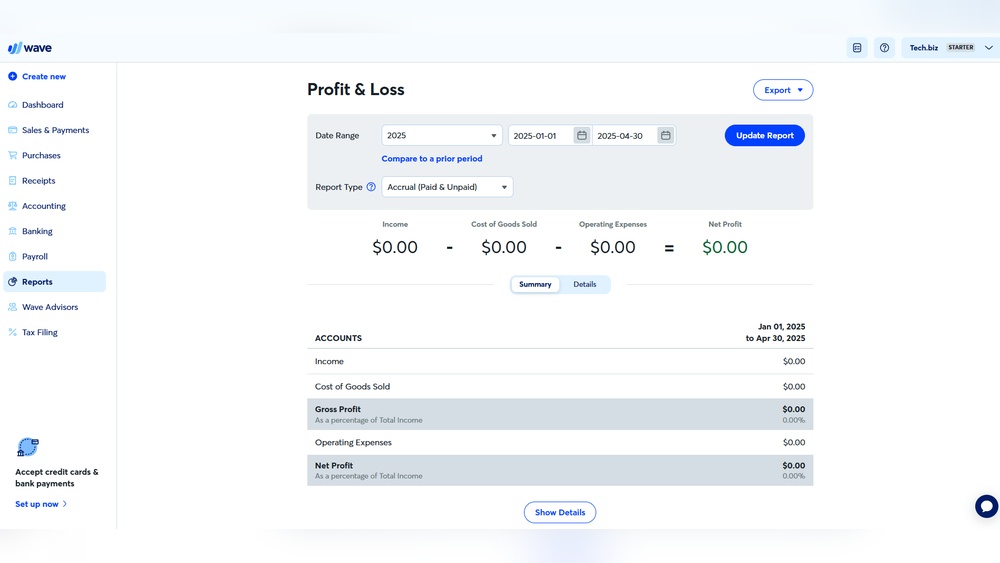

Keeping track of products is important for any business. It helps avoid running out of stock. It also stops having too many items that don’t sell. This is where inventory management comes in. Wave Accounting offers tools to help with this. In this article, we will talk about Wave Accounting inventory features. We will see how it can help small business owners manage their stock.
What is Wave Accounting?
Wave Accounting is a free online software. It helps small businesses manage money. You can use it to track income and expenses. It also helps with invoicing and accounting. Many small business owners like Wave because it is easy to use. You do not need to be an expert in accounting.
Does Wave Accounting Have Inventory Management?
Wave Accounting does not have full inventory management. This means it cannot track every detail about your products. It cannot count stock automatically or alert you when stock is low. But, it has some basic inventory features. These can help small businesses keep simple track of their products.
How Wave Inventory Works
When you sell a product with Wave, you add it as an item. You give each item a name and price. You can also add a description. When you create an invoice, you add these items. Wave will then record the sale in your accounts.
Wave tracks how many of each item you sell. But, it does not reduce the stock number automatically. You need to keep track of stock yourself. This means you count your inventory outside Wave. Then, you update your records to match your stock levels.

Credit: www.montrealfinancial.ca
Benefits of Using Wave for Inventory
- Easy to Use: Wave is simple. You can add products and prices quickly.
- Free Software: You do not pay to use Wave for accounting.
- Good for Small Businesses: If you have a small stock, Wave works well.
- Integrated with Accounting: Sales and inventory data work together. This helps when you check your money.
- Track Product Sales: You can see which products sell more.
Credit: www.saasant.com
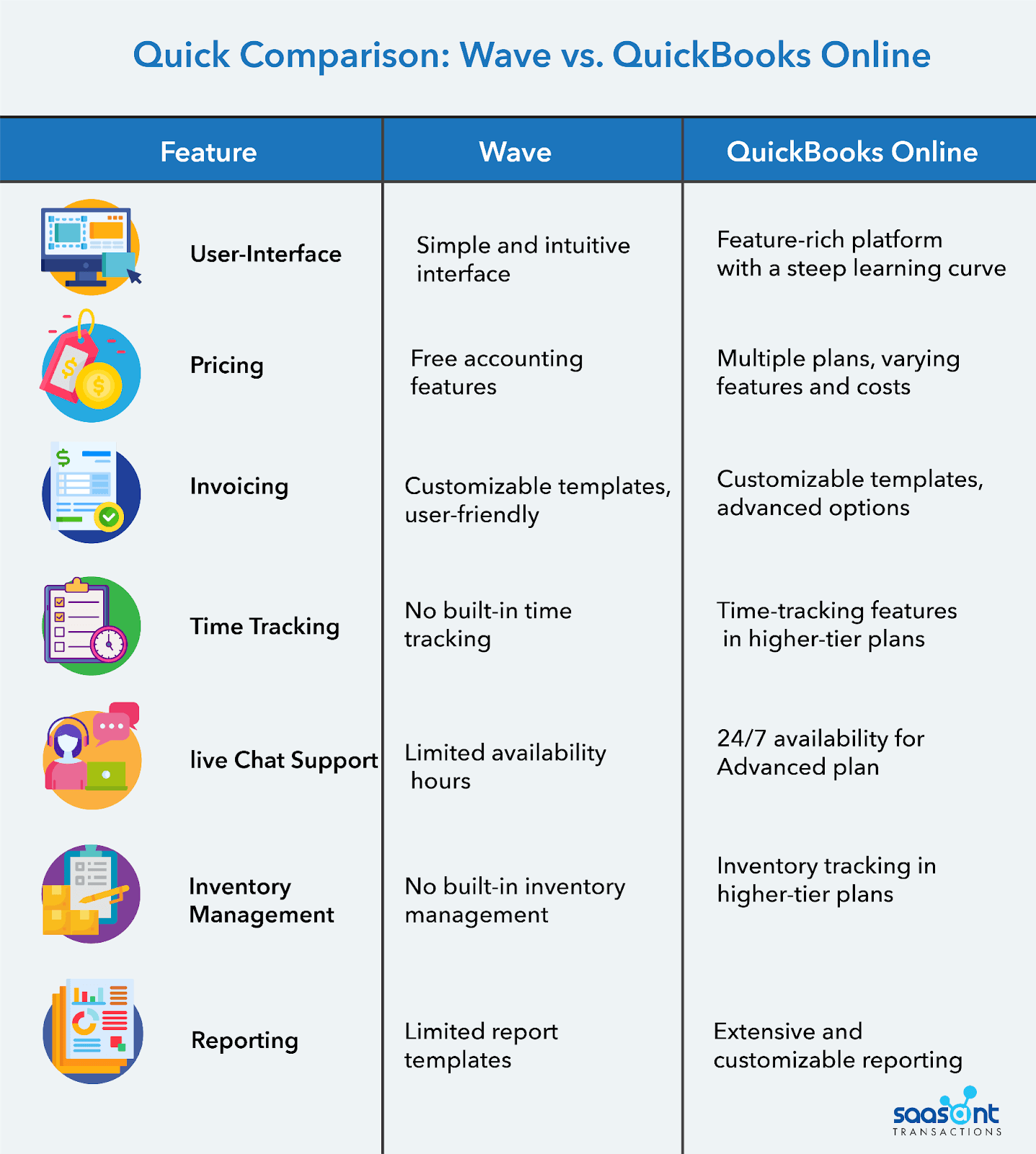
Limitations of Wave Inventory
Wave Accounting is not made for big stock management. It has some limits:
- No Automatic Stock Counts: Wave does not count your stock. You must do it yourself.
- No Low Stock Alerts: Wave won’t tell you when stock is low.
- No Barcode Scanning: You cannot scan items in Wave to add or remove stock.
- Limited Reports: Reports about inventory are basic.
If your business grows, you might need other software. These will help track stock in real time.
How to Use Wave Accounting for Inventory
Here is a simple way to use Wave for your inventory:
- Create Products: Add all your products in Wave as items.
- Set Prices: Add prices and descriptions for each product.
- Record Sales: When you sell, add items to invoices.
- Count Stock Regularly: Check your stock by hand or with a list.
- Update Inventory: Use notes or a separate file to track stock levels.
This method is simple but needs you to manage stock counts yourself. It works well for businesses with small product lists.
Alternatives for Better Inventory Management
If you want more features, consider other software. Some popular ones include:
| Software | Features | Price |
|---|---|---|
| Zoho Inventory | Automatic stock updates, barcode scanning, low stock alerts | Starts free, paid plans available |
| QuickBooks | Full inventory tracking, reports, integration with accounting | Paid plans only |
| Square Inventory | Stock counts, alerts, barcode scanning, integrates with sales | Free basic plan |
These options provide better control if your stock is large or changes fast.
Tips for Managing Inventory with Wave
- Keep a Manual Count: Write down your stock regularly.
- Use Spreadsheets: Track stock numbers in Excel or Google Sheets.
- Update Wave Items: Change prices and names if needed.
- Check Sales Reports: Look which products sell best.
- Plan Stock Orders: Order new stock before you run out.
These simple tips help you make the most of Wave’s inventory features.
Who Should Use Wave Accounting Inventory?
Wave is best for small shops or freelancers. If you sell a few products, Wave can help. It is also good if you want free software. You can keep track of sales and simple product lists. But, if you sell many items or need full inventory control, Wave may not be enough.
Think about your business size and needs. Start with Wave if you want to keep costs low. Upgrade later if your stock grows.
Frequently Asked Questions
What Is Wave Accounting Inventory Feature?
Wave Accounting Inventory helps track products you sell. It shows stock levels and updates automatically with sales.
Can I Manage Inventory For Free With Wave?
Yes, Wave offers basic inventory tracking for free. It suits small businesses with simple needs.
How Does Wave Update Inventory After Sales?
Wave reduces stock counts automatically when you record a sale. This keeps your inventory accurate.
Does Wave Support Multiple Product Categories?
Wave allows organizing products by categories. This helps keep inventory neat and easy to find.
Conclusion
Wave Accounting offers basic inventory tools. It is easy and free for small businesses. You can add products, record sales, and see product info. But, it does not track stock automatically. You must count and update stock yourself. Wave works well for small shops with simple inventory. For bigger businesses, other software may be better.
Using Wave helps connect your sales and money records. This is good for keeping business organized. Remember to count your stock often. Use spreadsheets or notes to track products. This way, Wave can be part of your inventory process.
Try Wave Accounting if you want simple, free software. It can help you with basic inventory and accounting. Just keep in mind its limits. Good stock management needs planning and regular checks.
